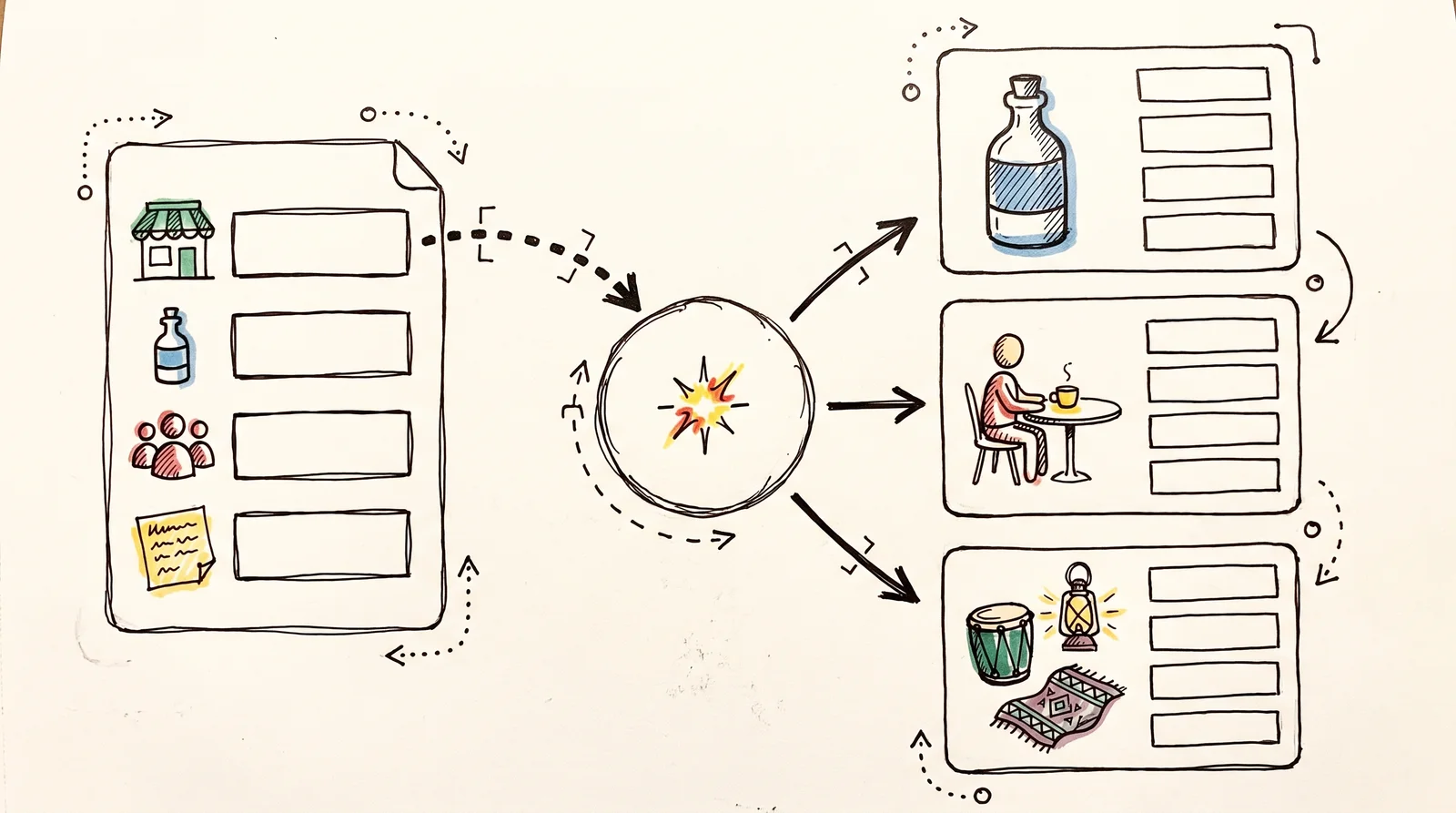
This workflow puts a four-question form in front of Gemini: brand, product, audience and the brief. Whoever fills it in gets three campaign routes back on the form's last screen. Each route starts somewhere different (the product itself, the audience's daily life, the culture the brand sells into) and comes with a name, the idea, a line, what the pictures look like, where it runs and the risk. Share the form with a client or a junior, and first-round thinking arrives in the same shape every time.
You need an n8n account and one Google Gemini API key. The key comes from Google AI Studio, and Gemini's text models have a free tier: the daily limits for your project are shown in AI Studio, and prompts sent on the free tier may be used to improve Google's products. n8n Cloud's Starter plan is €20 a month billed annually, with a free trial that needs no card, or you can run the free self-hosted Community Edition. Setting it up takes about ten minutes.
The workflow
The workflowJSON { "name": "Brief to three campaign routes", "nodes": [ { "parameters": { "content": "## Brief to three campaign routes\nA form asks for the brand, the product, the audience and the brief. Gemini writes three different campaign routes and shows them on the form's last screen.\n\n### 1. Connect one credential\nMake an API key at aistudio.google.com/apikey (Create API key). Open **Google Gemini Chat Model**, and under Credential choose **Create new credential**. The type is **Google Gemini(PaLM) Api**. Paste the key into API Key, leave Host as it is, and save.\n\n### 2. Change what you like\nThe instructions are in **Write three routes**, under Chat Messages. The model is Gemini 3.8 Flash. When Google retires it, open the model node and pick the newest Flash model in the list.\n\n### 3. Test it once\nClick **Execute workflow**. Fill in the form that opens, then wait on the last screen while the routes are written. When they read well, **Publish** the workflow and share the **Production URL** from the form node.\n\n### Using Claude instead\nDelete Google Gemini Chat Model, add **Anthropic Chat Model**, connect it to the Model input of Write three routes, and give it an **Anthropic** credential with your Claude API key.", "height": 820, "width": 560 }, "id": "728568a0-c81f-4969-8fa1-eeab392e248e", "name": "Read me first", "type": "n8n-nodes-base.stickyNote", "typeVersion": 1, "position": [ -640, -260 ] }, { "parameters": { "formTitle": "Campaign brief", "formDescription": "Fill in the brief. Three campaign routes come back on the next screen.", "formFields": { "values": [ { "fieldLabel": "Brand", "fieldName": "brand", "placeholder": "The brand's name, and what it sells", "requiredField": true }, { "fieldLabel": "Product or collection", "fieldName": "product", "placeholder": "What this campaign is selling", "requiredField": true }, { "fieldLabel": "Audience", "fieldName": "audience", "fieldType": "textarea", "placeholder": "Who buys it, where they live, what they care about", "requiredField": true }, { "fieldLabel": "The brief", "fieldName": "brief", "fieldType": "textarea", "placeholder": "What the campaign has to do, when it runs, the budget, and anything that is off limits", "requiredField": true } ] }, "options": { "buttonLabel": "Write the routes" } }, "id": "436f6e34-f22d-42e4-8c7a-ae5a1c0ab6cf", "name": "Campaign brief form", "type": "n8n-nodes-base.formTrigger", "typeVersion": 2.6, "position": [ 0, 0 ], "webhookId": "7a767db4-5dc3-44ea-8ac5-fab8a345d922" }, { "parameters": { "promptType": "define", "text": "=Brand: {{ $json.brand }}\nProduct or collection: {{ $json.product }}\nAudience: {{ $json.audience }}\n\nThe brief:\n{{ $json.brief }}", "messages": { "messageValues": [ { "message": "You are a senior creative director at an independent agency. You write campaign routes that a small brand can afford to make.\n\nWrite three campaign routes for the brief you are given. Each route starts from a different place:\n1. The product itself: what it does, how it is made, a detail only this product has.\n2. The audience's life: a habit, a tension or a moment they would recognise.\n3. Culture or place: something happening in the world the brand sells into.\nIf the brief rules one of these out, say so in one line and use another starting point.\n\nFor each route write these parts, in this order, each on its own line:\nROUTE 1 (then 2, then 3): a name of two to four words.\nTHE IDEA: two sentences a client could repeat after one reading.\nTHE LINE: one headline or campaign line, under ten words, in the brand's voice.\nTHE PICTURES: what the photographs or films look like: the setting, the light, who is cast, and the one shot that sums up the route. Write it so a photographer could plan the day.\nWHERE IT RUNS: the two or three places this route works best, and why, chosen for the budget and the audience in the brief.\nTHE RISK: one honest sentence on what could go wrong.\n\nRules:\nPlain text only. No Markdown, no asterisks, no hash signs, no bullet symbols. Leave one empty line between routes.\nBritish spelling. No exclamation marks.\nDo not invent facts about the brand, its prices, its customers or its results. Where the brief is silent, write around the gap.\nAvoid these words: elevate, unlock, seamless, vibrant, game-changing, journey.\nAfter the third route, add a line headed QUESTIONS FOR THE CLIENT with up to three things the brief left unclear, then stop." } ] }, "batching": {} }, "id": "f5f17f6f-1616-46c8-a76d-e1424c1fd8b0", "name": "Write three routes", "type": "@n8n/n8n-nodes-langchain.chainLlm", "typeVersion": 1.9, "position": [ 260, 0 ] }, { "parameters": { "modelName": "models/gemini-3.8-flash", "options": {} }, "id": "6034edcb-4ef6-415f-b88e-d1cdb5ffaeeb", "name": "Google Gemini Chat Model", "type": "@n8n/n8n-nodes-langchain.lmChatGoogleGemini", "typeVersion": 1.1, "position": [ 260, 240 ] }, { "parameters": { "operation": "completion", "completionTitle": "Three routes", "completionMessage": "={{ $('Write three routes').first().json.text }}", "options": {} }, "id": "09989ed7-77c5-4e78-ae28-4b265b0e2cd0", "name": "Show the routes", "type": "n8n-nodes-base.form", "typeVersion": 2.5, "position": [ 620, 0 ], "webhookId": "8c4c0a08-860b-4586-ac01-6971453679d1" } ], "connections": { "Campaign brief form": { "main": [ [ { "node": "Write three routes", "type": "main", "index": 0 } ] ] }, "Write three routes": { "main": [ [ { "node": "Show the routes", "type": "main", "index": 0 } ] ] }, "Google Gemini Chat Model": { "ai_languageModel": [ [ { "node": "Write three routes", "type": "ai_languageModel", "index": 0 } ] ] } }, "settings": { "executionOrder": "v1" }, "id": "4LF11qdVSsierjkj"}Copy it, click an empty spot on a new n8n canvas and press Cmd+V (Ctrl+V on Windows). Or download it, open the three dots at the top right of a new workflow, and choose Import, then From file.
Worked example
Set it up the first time
- 01Open n8n and create a new, empty workflow.Pasting onto a canvas that already has nodes mixes two workflows into one.
- 02Copy the workflow above, click an empty spot on the canvas and press Cmd+V (Ctrl+V on Windows).Five pieces appear: the form, the chain, the Gemini model, the ending page and a yellow note that repeats these steps.
- 03Make a key at aistudio.google.com/apikey with Create API key.Apart from n8n, it is the only account this workflow needs. Anyone holding the key can spend on your project, so keep it out of chats and screenshots.
- 04Open Google Gemini Chat Model, choose Create new credential, paste the key into API Key and leave Host as it is.The key is saved in your n8n, not in the workflow, so you can share the workflow without sharing the key.
- 05Click Execute workflow, fill in the form with a real brief and wait on the last screen.A real brief tells you whether the routes are any use. A made-up one only tells you that it runs.
- 06Read the three routes side by side before you touch the prompt.If two feel alike, sharpen the starting points in the system message under Chat Messages and run the same brief again.
- 07Publish the workflow, then copy the Production URL from the form node and share that.The Test URL only answers while you are testing in the editor. The Production URL works whenever the workflow is published.
What to do it with
- n8nOpen weights or open source
Automation you can self-host, wiring APIs and models into a pipeline that runs on a trigger.
Bad at Visual automation hides its failure modes. Without logging you find out it broke from a client.
- GeminiFree tier, paid above it
Google's assistant, with a very long context window and tight links to their other products.
Bad at Behaviour changes between the app, the API and the versions inside other Google products.
- Google AI StudioFree tier, paid above it
Where Gemini API keys, projects, billing and spend caps are made, with a playground for the models.
Bad at Free-tier prompts are used to improve Google's products, and the billing screens changed several times in 2026.
- ClaudeFree tier, paid above it
A language model that writes, edits, reads long documents and runs tools, including agents that work inside a codebase.
Bad at It is agreeable by default, so it will improve a bad idea instead of telling you it is bad. Ask it to argue against you and the quality of the answer changes.
The words, in plain language
- Form Trigger
- The n8n node that builds a web form and starts the workflow when someone submits it. It has a Test URL for trying it and a Production URL for sharing.
- Basic LLM Chain
- The n8n node that sends one prompt to a chat model and passes on the answer. The model node plugs into it from below.
- Credential
- A key or login saved inside your own n8n. A workflow points at it by name, so the key never travels with the workflow file.
Why it matters
Three routes are the start of a conversation. Judge them against what the form cannot hold, such as last year's campaign and the real budget, keep the strongest idea, and rewrite its line yourself.
- Type
- technique
- Period
- ongoing