Figma, with AI

Member lesson

Frames, grids and auto layout

Lesson 2 of 10 in Figma, with AI.

Checked against the makers' documentation on 26 September 2026.

Config 2025: Structure your designs with Figma Grid, a new way to use auto layout · Figma
Lesson

Most graphic designers arrive in Figma from InDesign or Illustrator and keep drawing layouts the way they did there, with boxes placed by eye and nudged until they look right. For one poster that works. It stops working the first time the headline gets longer, or the same layout has to exist at five sizes by Friday.
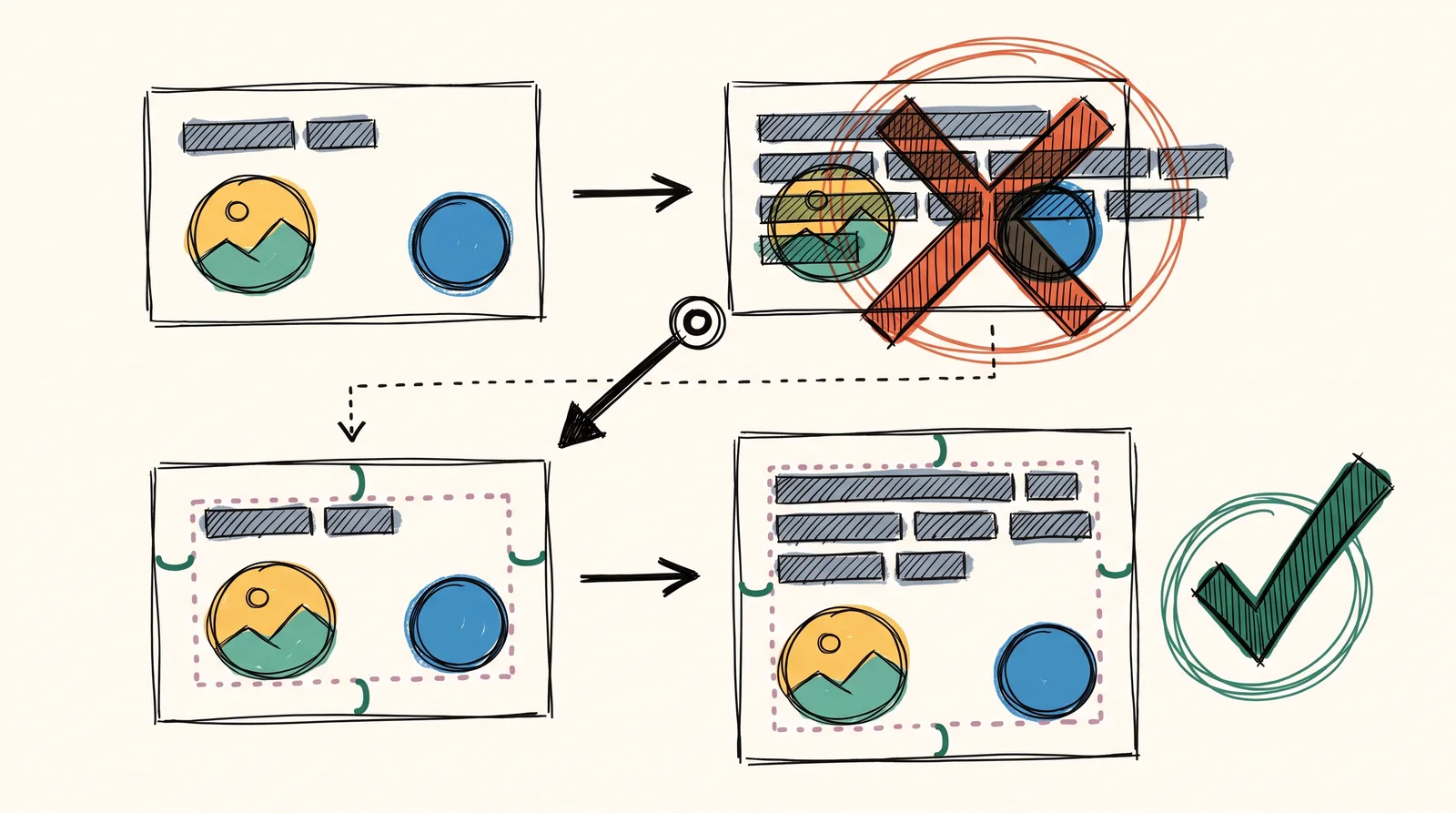
Above, a card whose longer headline bars crash into its button; below, a card with dotted padding that grows taller and moves the button down when the headline gets longer.
Two cards get a longer headline. The one placed by eye overlaps its button, while the auto layout one grows and pushes the button down, keeping the same gap.
Member

The rest of this is for members.

You have read the opening of this lesson. The rest of it comes with a membership.

One membership covers all four courses and Brands.

  • All lessons in the four Learn courses
  • All brand breakdowns in the Brands section
  • All quizzes, flashcards and crosswords
  • An AI teacher on every lesson, for up to 60 questions a day
  • All course material published during the membership

Price

Membership is from $12 a month on the Yearly plan, which is charged at $144 once a year. Lifetime access is $59, paid once.Membership is from ₹200 a month on the Yearly plan, which is charged at ₹2,400 + GST once a year. Lifetime access is ₹3,999 + GST, paid once.

Check what stuck

Members only

You can't take this check yet.

Members answer these 3 questions and keep the ticket for this lesson. Every lesson has one.

  1. Question 1, locked

    Which of these words means this? “Columns, rows or a uniform grid drawn over a frame to snap to. Figma called it a layout grid until May 2025.”

    • Figma Make
    • Lock position
    • Layout guide
    • Frame
  2. Question 2, locked

    Which of these words means this? “Rules that place a frame's contents and resize the frame as they change. Shift-A adds it.”

    • Weave tool
    • Figma Make
    • Lock position
    • Auto layout
  3. Question 3, locked

    Which of these words means this? “How a layer sizes itself. It shrinks to its content, takes the space that is left, or stays put.”

    • Variable
    • Component property
    • Hug, fill and fixed
    • Select area

Elsewhere in the library

Hear about new courses.

Leave an email and we will tell you when something new lands. We do not write often.