Figma, with AI

Member lesson

Making and editing images inside Figma

Lesson 6 of 10 in Figma, with AI.

Checked against the makers' documentation on 26 September 2026.

New AI image editing tools | Figma · Figma
Lesson

Most of the image work a layout needs can now happen in the Figma file. Make an image, from the Actions menu, takes a prompt, a model chosen from a dropdown and optional reference pictures. The image toolbar edits with a prompt, removes backgrounds, expands a picture past its edges, erases or isolates a lassoed object, boosts resolution and turns pictures into vectors. Erase, Isolate and Expand arrived in December 2025. All of it needs a paid plan and a Full seat. Every use spends credits.
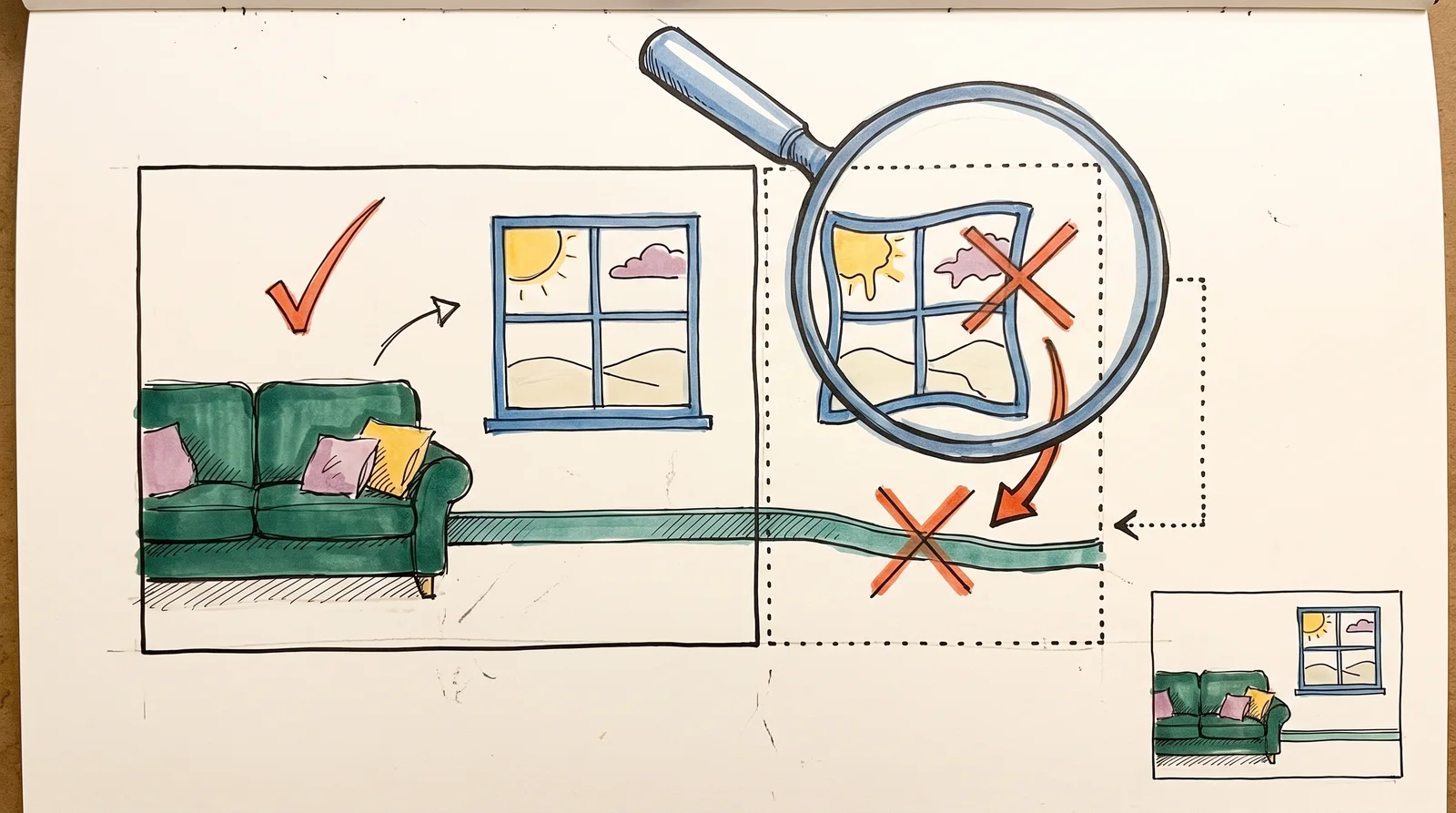
A room photo with an extra strip added on the right, where a magnifying glass shows a repeated window and a bent wall line marked with crosses.
A photo widened by an AI tool, with a magnifier over the added strip, which repeats a window and bends a wall. Always check the edges a tool invents.
Member

The rest of this is for members.

You have read the opening of this lesson. The rest of it comes with a membership.

One membership covers all four courses and Brands.

  • All lessons in the four Learn courses
  • All brand breakdowns in the Brands section
  • All quizzes, flashcards and crosswords
  • An AI teacher on every lesson, for up to 60 questions a day
  • All course material published during the membership

Price

Membership is from $12 a month on the Yearly plan, which is charged at $144 once a year. Lifetime access is $59, paid once.Membership is from ₹200 a month on the Yearly plan, which is charged at ₹2,400 + GST once a year. Lifetime access is ₹3,999 + GST, paid once.

Check what stuck

Members only

You can't take this check yet.

Members answer these 3 questions and keep the ticket for this lesson. Every lesson has one.

  1. Question 1, locked

    Which of these words means this? “Changing a placed picture by describing the change. It sits in the image toolbar.”

    • Edit with prompt
    • Grid flow
    • Main component
    • The agent
  2. Question 2, locked

    Which of these words means this? “A lasso drawn on a picture, which Erase removes or Isolate lifts onto its own layer.”

    • Copy as layers
    • Proof
    • Folder
    • Select area
  3. Question 3, locked

    Which of these words means this? “A ready-made image job from Figma Weave, run on a picture from Figma's Tools panel.”

    • Collection
    • AI credits
    • Weave tool
    • Rename layers

Elsewhere in the library

Hear about new courses.

Leave an email and we will tell you when something new lands. We do not write often.