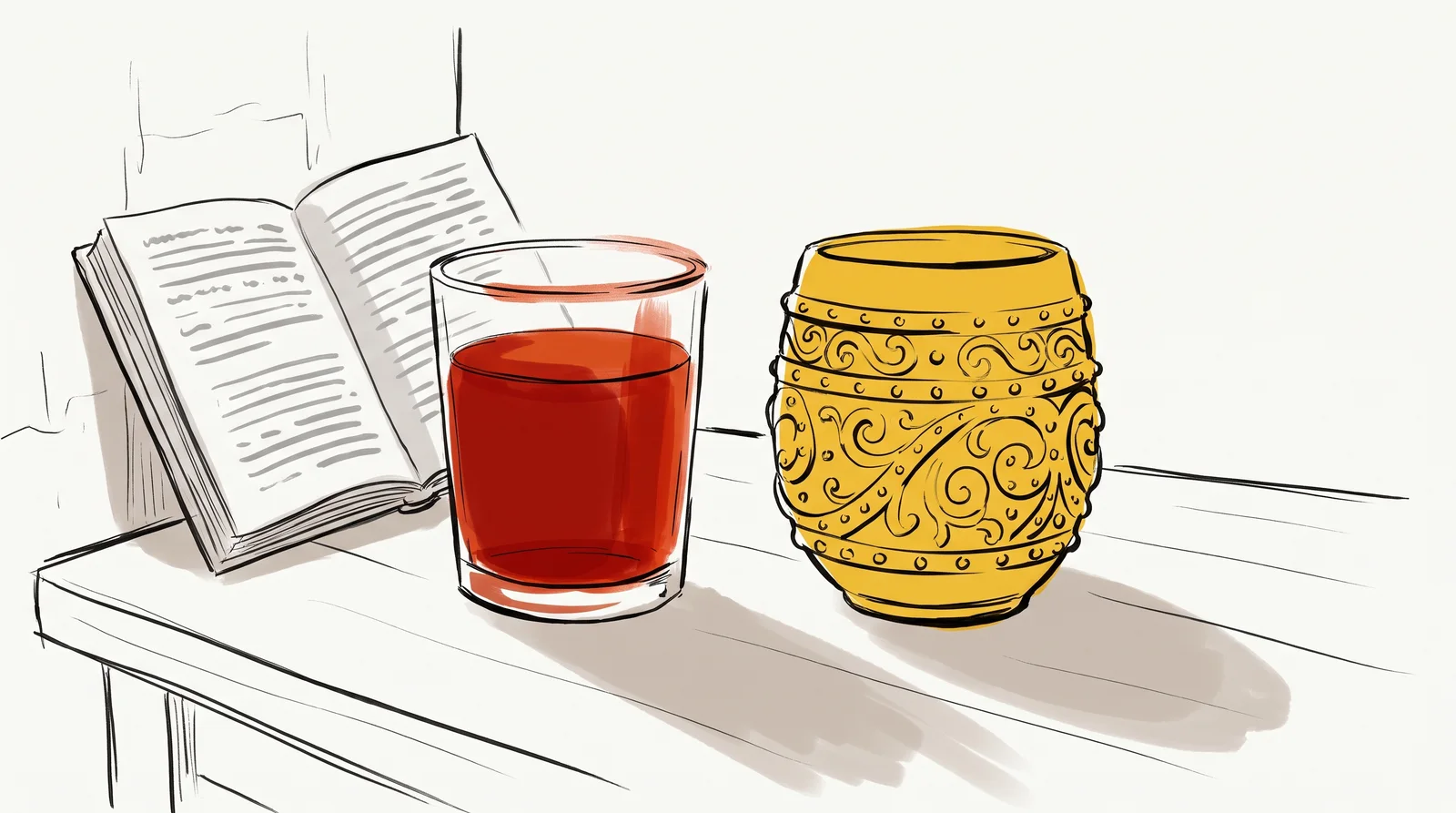
Typography is the craft of arranging written words so that people can read them, and when it goes well almost nobody notices it. In 1930 Beatrice Warde, who ran publicity for the Monotype Corporation, gave a talk in London later printed as The Crystal Goblet, arguing that type should be like a clear glass that shows off the wine instead of a gold cup that hides it. That is still the best single test. A is the design, such as Garamond or Helvetica, and a was once one size and style of it cast in metal, though today the words are used interchangeably. What matters is the job the type has to do. Some type is read for pages at a time, and some is glanced at for two seconds across a road, and almost every decision here follows from knowing which job you are doing.
Choosing a typeface comes first, and a rough map of the families makes the choice smaller. faces finish their strokes with small feet and spurs, and they run through old-style faces such as Garamond, transitional ones such as Baskerville and the high-contrast Didones such as Bodoni. Sans serifs drop the feet. Grotesques and neo-grotesques such as Helvetica, drawn in 1957 by Max Miedinger with Eduard Hoffmann, feel plain and even; geometric faces such as Paul Renner's Futura of 1927 are built from circles and straight lines; humanist faces such as Edward Johnston's 1916 alphabet for the London Underground keep some of the rhythm of handwriting. Slab serifs, scripts and display faces make up most of the rest. Use the map to search. The categories overlap, and the best-known scheme for sorting them was formally dropped by ATypI, the international type association, in 2021.
Start from the job. Write down what the type must set (long articles, short labels, prices in a table, perhaps a second script such as Devanagari), at what sizes and on which surfaces, then rule out every family that cannot do all of it. Check the things a specimen page hides, such as a real italic, a bold that is really bold, figures that line up in columns, and the rupee sign and accented letters your copy needs. Only then choose by voice, because every face arrives with associations readers have already learnt. Times New Roman was drawn for The Times of London, which first printed in it on 3 October 1932, and it now reads as the default of a word processor. Set a paragraph of your own words at its real size and print it out, and half a shortlist usually fails within minutes.
Size comes next, and it starts with the body text, because everything else is measured against it. Matthew Butterick's Practical Typography puts body text at 10 to 12 point in print and 15 to 25 pixels on a screen, and browsers default to 16 pixels. Two faces at one size can look different sizes, because the number the invisible body a letter sits on and the letters fill it differently; a face with a large , the height of its lowercase, looks bigger. Hierarchy is how a reader tells a headline from a caption before reading either. Keep the levels few. Most pages need three, and each step has to be obvious, so a heading at twice the body size reads as a heading while one a couple of points larger reads as an accident. Weight, capitals, colour and the space around a line all mark a level too, and one of them changed decisively beats three changed a little.
Spacing decides more about how type reads than the choice of face does, and it comes in four kinds. is the distance from one line to the next; Butterick's range is 120 to 145 per cent of the type size, and most software starts near the tight end. Tracking adds or removes space evenly across a whole run of letters, and the rule worth keeping is to open capitals by about 5 to 12 per cent and leave lowercase body text alone. Kerning fixes single awkward pairs such as AV, To or Ty, which a good font already handles, so kern by hand only in a logo or a big headline. Measure is the length of a line. Robert Bringhurst's The Elements of Typographic Style gives 45 to 75 characters as comfortable for a single column, with 66 as the ideal, and a paragraph left to run across a wide monitor can easily pass two hundred.
Alignment has a sensible default for reading. Flush left with a ragged right edge keeps every word space the width its designer drew, so it suits nearly everything; justified text lines up both edges by stretching those spaces, and without hyphenation and a wide enough column it opens pale rivers down the page. Centre only short things. Behind all of these choices sits the difference between reading type and . A text face is drawn to survive small sizes and long attention, with a generous x-height, sturdy thin strokes and looser spacing, while a display face is drawn to be looked at large, with finer detail and a tighter fit. Some families ship both, such as Klim Type Foundry's Tiempos Text and Tiempos Headline, and setting body copy in the headline cut, or a headline in the text cut, is one of the commonest ways to make good type look wrong.
Sometimes the right answer is to draw the letters instead of setting them. Lettering is made once for one group of words, so every letter can be shaped around its neighbours, which is why the Coca-Cola script, written out in Spencerian penmanship by John Pemberton's partner and bookkeeper Frank Mason Robinson in the 1880s, still looks like nothing else. The Preamble page of the Constitution of India was written by hand too, by Prem Behari Narain Raizada. Draw the few words that never change and set everything else. The last decision is the surface. Print is fixed, so you choose the size, the line length and the paper once and check a proof. A screen is never fixed, because readers change the window, the zoom and sometimes the font, so on the web you set sizes in relative units, cap the line length in characters and test on a cheap phone in daylight, where thin strokes and pale grey text vanish first.
Try this
Set one paragraph three ways
Take one paragraph of real copy, about 120 words, from your own work or a newspaper. Set it three times on one page: first in your tool's default settings, then in a text serif such as Georgia or Source Serif at 11 point for print or 18 pixels for screen, with leading at 140 per cent and lines of 60 to 70 characters, and then in a sans serif such as Inter or Helvetica with the same leading and line length, sized so its lowercase looks as tall as the serif's. Print the page or send it to your phone and read each version at arm's length.
Time: About 40 minutes. You need: One paragraph of real copy, about 120 words, any layout tool: Figma, InDesign, Word or a plain web page, a printer or a phone.
Look for
- Which version you finished first, and which one you had to push yourself through.
- Whether the default version runs past 80 characters a line, and how it felt to find the start of each new line.
- How much smaller a number the sans needed to match the serif, and what that says about their x-heights.
- Where the ragged right edge makes a shape, such as a staircase or one stranded word, and which line break you would move by hand.
- Whether opening the leading to 140 per cent made any version look loose, or only calmer.
- Which of the three you would use for a menu, a report and a novel, and whether the answer changes.
The words, in plain language
- Typeface
- A design for a set of letters, such as Garamond or Helvetica, across all its weights and styles.
- Font
- Strictly one weight and style of a typeface, now usually a file. Most people use the word to mean typeface, which is fine.
- Serif
- The small foot or spur that finishes a stroke. Faces without them are sans serif.
- x-height
- The height of the lowercase letters without ascenders. It decides how big a face looks at a given size.
- Leading
- The distance from one baseline to the next. About 120 to 145 per cent of the type size suits body text.
- Tracking and kerning
- Tracking changes the space across a whole run of letters. Kerning changes it between one pair.
- Measure
- The length of a line, counted in characters. Around 45 to 75 is comfortable for reading.
- Display type
- Type drawn or set to be looked at large, in headlines and signs, as against text type made for reading small.
Why it matters
Most type goes wrong in a handful of predictable ways, and each one costs readers. Too many typefaces is the first, and it has a technical price as well, since two families at four weights each means eight font files to download before a phone can show a sentence. Body text set too small, too thin or too pale is the second, usually chosen on a large bright monitor and then read on a phone in the sun. Negative tracking on paragraphs, lines that run 120 characters across a laptop and centred body copy all slow reading down without the reader knowing why. Nobody complains about the measure. They stop reading, and the page gets blamed for being dull.
Display faces used for reading are the next trap, and luxury brands fall into it most often. A Didone such as Bodoni, drawn for large sizes and smooth paper, loses its hairlines at 14 pixels on an ordinary screen and turns to grey. Fake styles are another giveaway. When a family has no true italic or bold, software slants or thickens the regular, and anyone who reads a lot notices at once. The cost of all this shows up as rework, because a brand that picks a face before checking its weights, its characters and its licence for the web usually finds out at launch, when changing the type means redoing every file already made.
Nearly all of it is prevented by one habit, which is testing type the way it will really be used. Print the page at full size, read it on a phone at arm's length, and hand it to someone who has never seen it while you watch where they slow down. Change the spacing first. Most typographic problems turn out to be spacing problems in disguise, and those are much cheaper to fix than a new typeface.
The rest of this module takes each decision further, one lesson at a time. It starts by naming the parts of a letter and the families they sort into, so the words used later already mean something, and then reads two pages worth studying closely, the Preamble of the Constitution of India and Bodoni's specimen, with four short lessons that apply what those pages show. Setting comes next. Spacing, alignment, line length, hierarchy and pairing each get a lesson, and after font licences and Devanagari the module turns to the history of type, from Gutenberg through metal and film to digital. Measurement and type scales lead into variable fonts, the gap between web and print type, and where fonts come from. Then the scripts that do not behave like Latin, from Arabic to the other Indian scripts, before two scripts share one page. Wordmarks come near the end. It closes on typefaces made for one brand, painted shop signs and practice at naming the type you see in the street.
Elsewhere
- Type
- term
- Period
- ongoing