AI video turns a sentence, a still image or both into a short clip. Google's Veo 3.1, the model this course tests most, makes clips of 4, 6 or 8 seconds with the sound already in them, and Runway, Kling and Luma also generate in single runs measured in seconds rather than minutes. Plan around that length. The unit a model can handle is the , one continuous run of camera, so a film made this way is a set of separate shots cut together afterwards, the way a live-action film is. There are three ways in. Text to video starts from words alone, animates a still you supply, and continues a clip you already have.
Inside one shot, results can look expensive. Models are good at light moving across a surface, at water, smoke and fabric in motion, and at slow camera moves on a subject that stays still. They handle one clear action well, such as a cup being set down or a door swinging open. Veo also generates its own sound, adding footsteps or a short spoken line when the prompt asks for one. For a mood film or the cutaways between product shots, today's tools already produce footage that runs in paid campaigns.
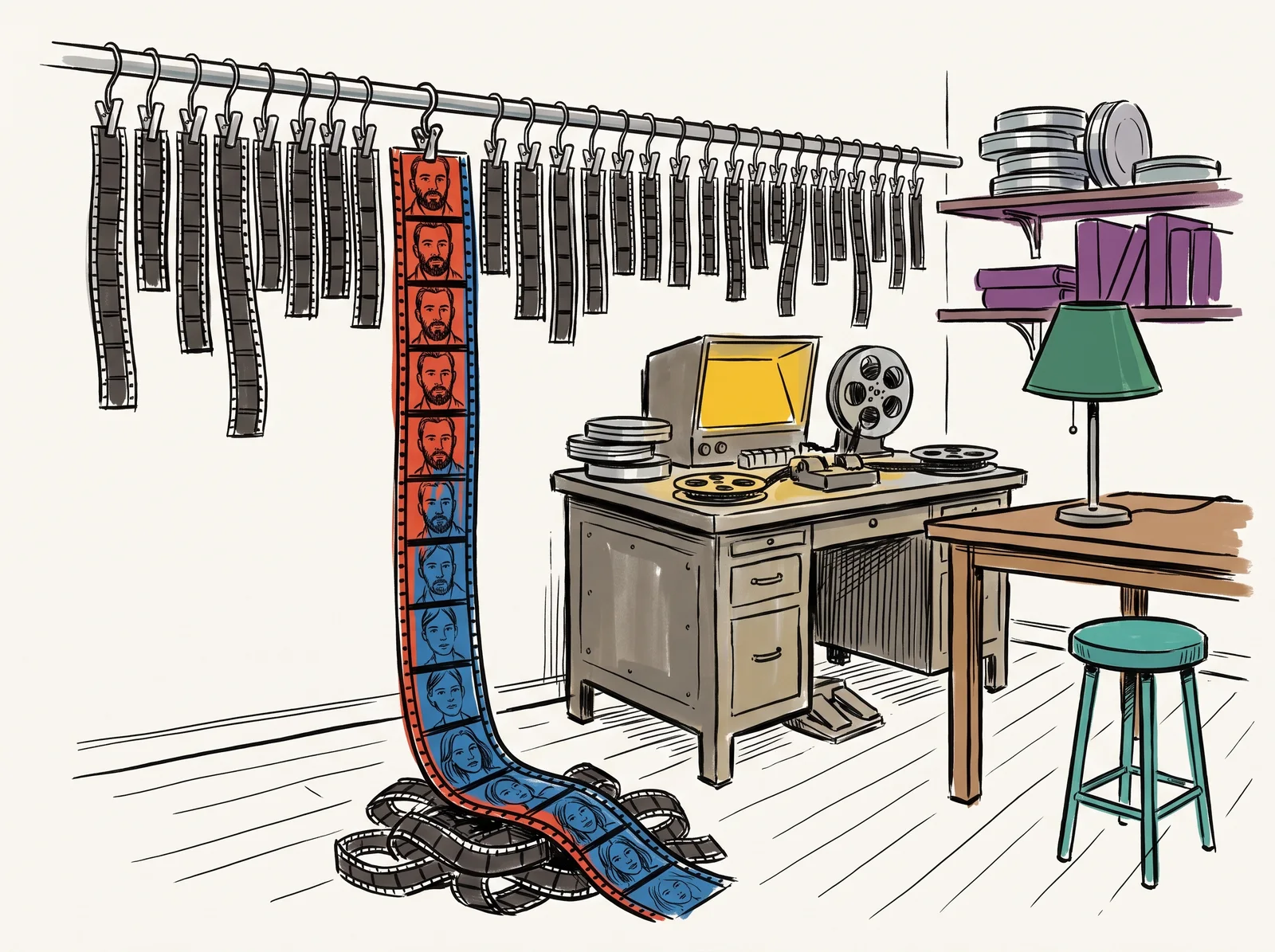
Consistency is the weak point. A face over a few seconds, so the person in the last frame can look like a cousin of the person in the first. A logo on a moving cup loses its letterforms, lettering on a sign can wobble between frames, crowds melt into each other, and hands doing anything precise gain or lose fingers. The model also adds things nobody asked for, such as the hand in the spoon test that Reference images, and Veo's own sound tells in full. Across ninety seconds and fifteen shots, keeping one particular person or product the same is still the hardest problem in the field.
The reason is , the need for every frame to agree with the frames around it. An image model makes one picture. A video model has to get every frame of a clip right and keep them consistent with each other, and the longer the clip, the more room there is for a face or a label to slide. That is why drift gets worse with length, and why a three-second shot is usually safer than an eight-second one. Each new model version pushes the limit back a little, but the way things fail has stayed the same.
Working professionals design around those limits instead of fighting them. They settle each frame as a still first, where trying again is cheap and control is good, and then ask the video model only for movement. They name the camera move in the words a cinematographer would use, such as a slow push in or a pan left, because models learned from footage described that way. They board the film in short shots with one clear action each, and they put the cuts where a model would struggle, so a face turns away before it can drift. That also describes a well-cut advertisement. A thirty-second commercial is often fifteen cuts.
Cost shapes the process. The Gemini API bills Veo by the second, at $0.05 a second on the Lite tier at 720p and $0.40 on the Standard tier, and every failed take is paid for at the same rate as a good one. A shot that needs twelve attempts costs twelve times the sticker price. Twenty 4-second drafts on Lite come to $4, while a single 8-second take at 1080p on Standard costs $3.20. So guessing is expensive, and teams have quietly brought back storyboards, shot lists and , where a still for every shot is cut to temporary sound before any video is made.
Generated footage still needs finishing. Clips arrive at awkward sizes and frame rates, with a faint shimmer, and clips from the same prompt differ in exposure and colour, so they have to be matched, graded and given grain before they read as one film. Sound carries more of the result than beginners expect, as the sound lesson later in this module explains, which is why the sound Veo makes is best treated as a guide track for anything a client will see.
Try this
Three short clips to find where Veo drifts
Make three short clips on the cheapest Veo tier you have. The easiest way in is Google Flow in a browser, which needs no code. If you would rather use code, first_veo.py from 'Your first Veo call, in code', in the next module, makes the same clips on Veo 3.1 Lite at 720p. One clip is a close-up of a face in profile turning to look at the camera. One is a paper cup with a printed logo carried past the lens. One is a shop window with a two-word sign painted on the glass. Step through each clip a frame at a time.
Time: Twenty minutes, most of it waiting. You need: A Google account with access to Flow, or the Gemini API key from the setup lessons, a few Flow credits, or about $0.60 of API balance for three 4-second clips at $0.20 each.
Look for
- Whether the face in the last frame is the same person as in the first.
- Whether the logo keeps its letterforms while the cup moves.
- Whether both words are spelt right in every frame. Our 'HONEY & RYE' test on Lite held in its one take, so yours may too.
- Anything the model added that nobody asked for, such as a hand, a second person or a camera move.
- Whether the sound matches what happens on screen, and whether you would keep it or replace it.
- Which of the three you would trust in a client's film, and which you would cut around.
What to do it with
- VeoPay per use
Text or image to video, with sound, at a length and coherence nothing had two years ago.
Bad at Cost per second is high enough to change how you storyboard. Long shots still drift, and hands and logos wander. Through the Gemini API on 25 September 2026 it refused a last frame on every tier, though the docs describe one.
- RunwayFree tier, paid above it
A video generation and editing suite with motion brush, camera control and per-frame steering.
Bad at Credit burn is fast and the good controls sit on the higher tiers. Output length still suits cuts rather than scenes.
- KlingFree tier, paid above it
Image-to-video with unusually stable human motion.
Bad at Queue times vary by a lot, and the interface assumes you already know what its settings mean.
- Luma Dream MachineFree tier, paid above it
Fast image-to-video with good camera language and a keyframe mode that interpolates between two stills.
Bad at Detail softens as the shot runs. Product labels are usually unreadable by the last second.
The words, in plain language
- Shot
- One continuous run of camera between two cuts. The unit generative video can currently handle.
- Temporal coherence
- Whether things stay the same thing from frame to frame. The central problem.
- Drift
- A face, a logo or a pattern changing across a clip. Gets worse with length.
- Generation length
- How long a single run can be. Veo 3.1 offers 4, 6 or 8 seconds, and edits are cut to suit.
- Image to video
- Starting a clip from a still you supply, so the model only has to add the movement.
- Extension
- Continuing an existing clip from its last moments to make a longer one. On Veo it works at 720p only.
- Animatic
- A storyboard cut to time with temporary sound, used to find timing problems before paying for footage.
Why it matters
The first mistake is asking one prompt for a whole film. It will not hold. A long continuous take of a person walking through a shop, picking up the product and smiling at the camera asks for everything the models are weakest at, all at once, and it comes back with a changing face and a garbled label. Beginners then reroll the same prompt and pay for every attempt. Breaking the same idea into six short shots, each with one action, usually gets there in fewer takes and for less money.
The second mistake is judging a tool by its showreel. A maker's reel is the best few takes out of many, chosen from the things the model already does well, and it rarely says how many attempts each one took. Test your own brief instead. Run it a few times on the cheapest tier and step through the result a frame at a time, which is what the exercise below asks for, at a cost of about sixty cents. Model names and prices change every few months, so a test you ran yourself last week beats any review you can read.
The third mistake is letting drift through on the things a customer checks. Faces and logos show it first. A face that changes between shots unsettles a viewer who could not say why, and a logo that loses a letter halfway through a clip is a brand error seen by everyone who watches. On a product film the safer plan keeps the product in shots where it barely moves, often starting from a real photograph of it, and puts the generated movement into light, background and camera.
The rest of this module goes through the working method in order. It starts with why a still is the reliable way in, how to name a camera move so the model follows it, and how to cut a film around short shots. The middle lessons deal with keeping one character the same across shots and with getting the sound right. The last ones cover upscaling and grading generated footage until a set of clips matches, planning around the cost, and making a thirty-second film start to finish. Every lesson builds on these limits.
Elsewhere
Papers
- Type
- term
- Period
- ongoing